Client Administration tabs
| Tab | Use it for |
|---|---|
| Overview | High-level status and shortcuts to the main record areas. |
| Company | Legal form, company number, jurisdiction and principal activity. |
| Addresses | Registered office, trading and permitted contact addresses. |
| People | Directors, PSCs, partners, LLP members and authorised contacts. |
| Tax & IDs | Core tax and filing identifiers. |
| Fees / Engagement | Agreed services, fees and the active engagement position. |
| Portal / HMRC authority | Client access and authority records. |
| Tasks / Documents / Audit trail | Operational work, permanent records and change history. |
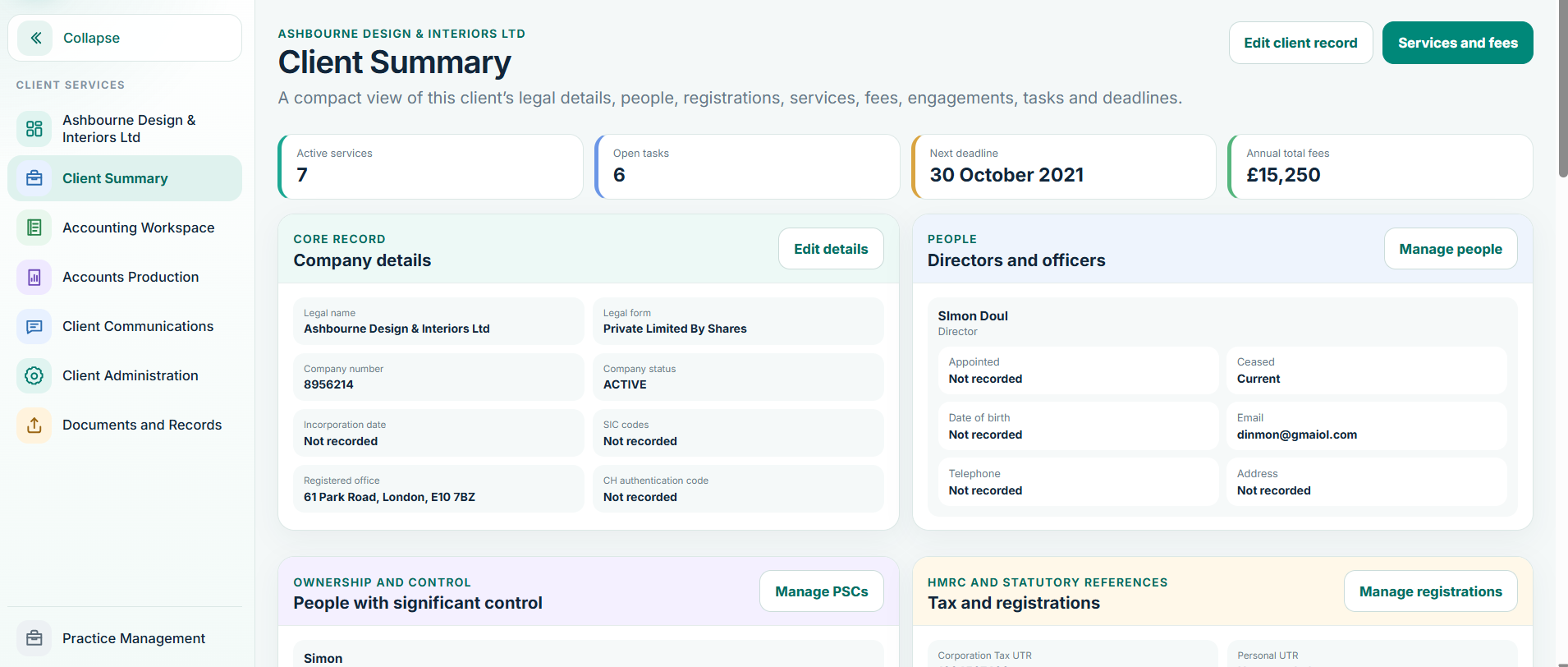
Complete the legal and tax record
Use the legal name and legal form that apply to the client. For incorporated entities, record the Companies House number where available. Keep tax identifiers in Tax & IDs rather than burying them in notes.
Where Companies House integration is configured, use the controlled sync route described in Companies House sync.
People and addresses
Record people once and attach the relevant role or roles. A person may hold more than one role. Keep only current officers and PSCs active in the current view, while the audit trail preserves change history.
For registered office details, use Companies House data where accepted. A manual address remains useful as a controlled fallback where no Companies House source is available.
Services, fees and engagement
Services determine what the practice is responsible for and can drive recurring tasks and deadlines. Fees are visible only to authorised roles. An active engagement should reflect the services the practice has agreed to perform.